
Every package logged, charged and picked up.

A package that goes missing costs you a refund. A package nobody charged for costs you the fee. Packages tracks every delivery from the desk to the guest, and adds your handling fee as it’s logged.

We know how it goes.

Packages pile up at the desk. Fees get forgotten. And when a guest says it never arrived, there’s no record.

LogEasy started when a major hotel brand asked ILMS founder Paul Mercer to fix incident reports that fell apart under scrutiny. We built it with the staff who file them.

Log every package

Every package logged the moment it arrives.

Scan the shipping label and LogEasy fills in the tracking number and carrier. Add the guest and the shelf, and it’s on the list.
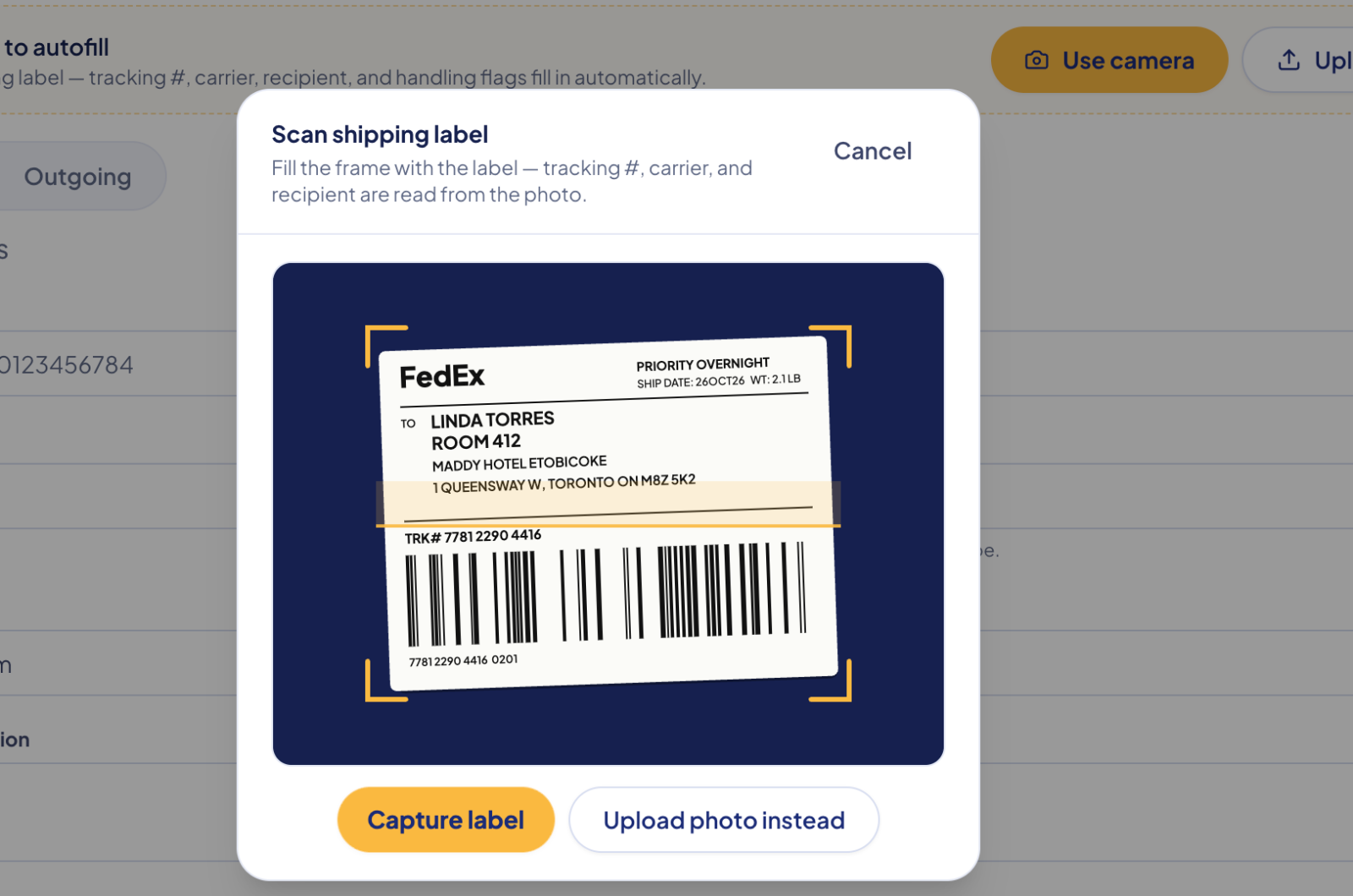
Scan the label
Tracking number and carrier filled in for you.
Matched to the guest
Name, room, and arrival and departure dates.
Incoming and outgoing
Guest returns and courier pickups are tracked too.
Log every package screen in LogEasy

When a delivery shows up for a convention, nothing gets lost in the pile.

Group bookings can bring hundreds of boxes. Each one is logged to a guest or a company, with the shelf it’s on.

Group and company deliveries
Storage location for every package
Search by name, room or tracking number
Package room
Today
FedEx · 7781 2290
Room 1204 · Shelf B
Logged
UPS · 1Z84A9
Acme Corp group · Shelf C
Logged
Canada Post · large box
Room 318 · Floor
Logged
Amazon · return
Outgoing · Courier at 16:00
Outgoing
Saved and time-stamped
Handling fees

Every package can earn you money.

Set a handling fee by package type. LogEasy adds it to every package as it’s logged, so the desk never forgets to charge.
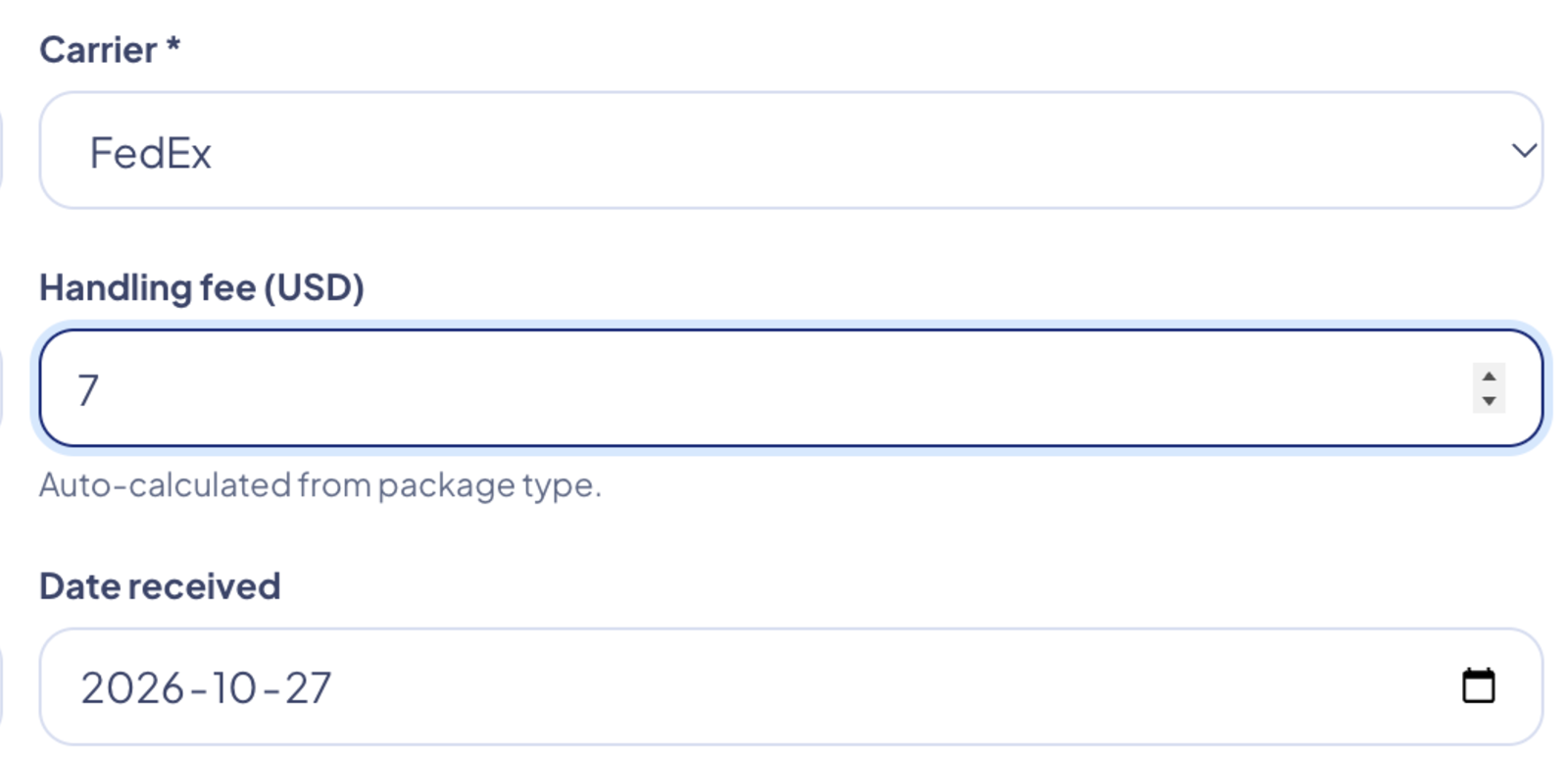
Fees by package type
Envelopes, boxes and oversized items each have their own fee.
Added automatically
Staff don’t work it out or look it up.
A record of every fee
See what you charged, for which package, and when.
Handling fees screen in LogEasy

When the front desk is busy, the fee still gets charged.

Most hotels lose handling fees because nobody remembers to add them. Here, the fee is on the package before it reaches the shelf.

Set your own fees
Different fees for oversized items
Monthly totals at a glance
This month
Handling fees
Envelopes
42 · $3 each
$126
Boxes
61 · $5 each
$305
Oversized
9 · $10 each
$90
Total
112 packages
$521
Saved and time-stamped
Ready for pickup

Guests know their package is here.

Mark a guest as told and the package moves to ready for pickup. Packages sitting too long are flagged before the guest checks out.
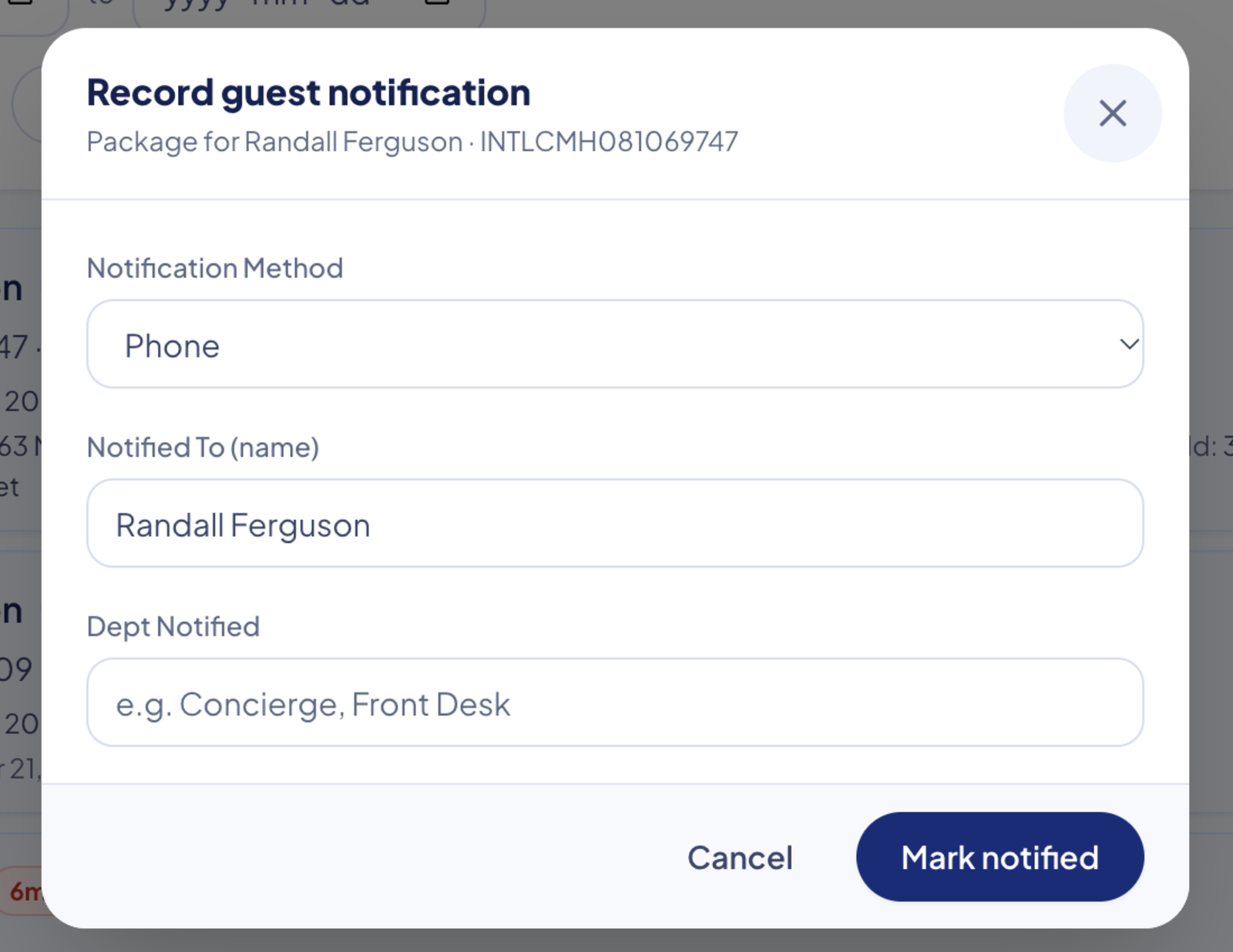
Guest told, on record
Who told them and when.
Old packages flagged
Anything here 3 days or more shows at the top.
Before they check out
Departure dates show which packages need to go first.
Ready for pickup screen in LogEasy

When a guest checks out, their package doesn’t stay behind.

Forgotten packages turn into returns, complaints and lost items. The queue shows you what needs to go today.

Active queue at a glance
Aged 3+ days flagged
Mark packages returned
Ready for pickup
14 packages
Room 1204 · FedEx
Guest told 09:12
Ready
Room 615 · UPS
Checks out today
Today
Room 902 · box
Here 4 days
Aged
Room 318 · large box
Guest told 11:40
Ready
Saved and time-stamped
Proof of pickup

Proof of who picked it up.

When a package leaves the desk, LogEasy records who collected it, who handed it over, and when.
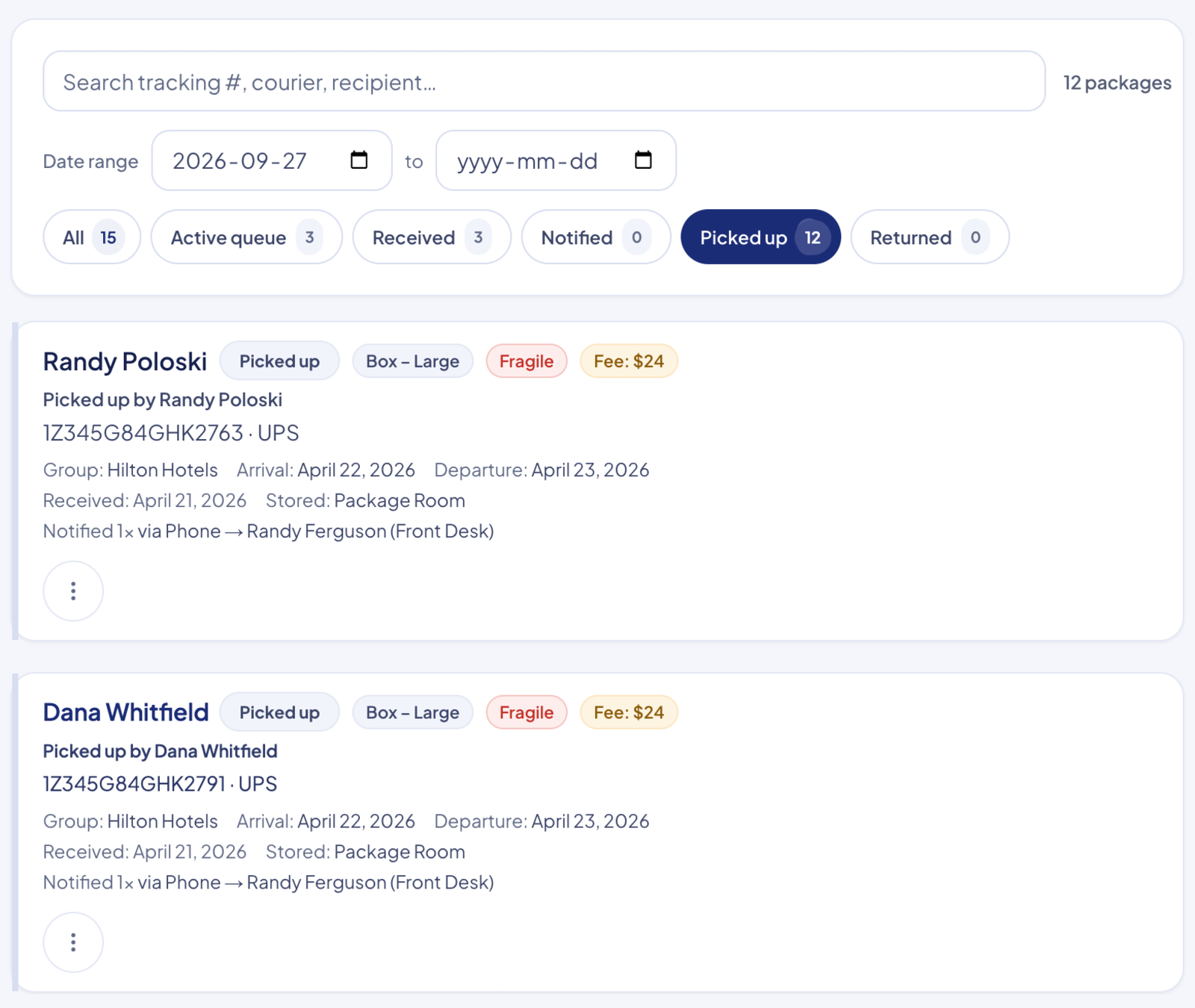
Who collected it
The guest, or the person they sent.
When it left
Saved and time-stamped.
The full trail
From arrival to pickup, every step kept.
Proof of pickup screen in LogEasy

When a guest says “we never got it,” you can show them.

A missing-package complaint can turn into a refund. A pickup record ends the conversation.

Every step saved and time-stamped
Every change logged, every version kept
Search any past package
FedEx · 7781 2290
Room 1204
Arrived
Oct 24 · 10:02 · A. Lopez
Logged
Guest told
Oct 24 · 10:15
Done
Picked up
Oct 25 · 08:41 · Guest
Collected
Handed over by
M. Torres, front desk
Signed
Saved and time-stamped

Every module in Packages feeds the same record.

A guest says their laptop was delivered but never handed over. By the time you open the complaint, the report already shows who picked it up.

Incident report #1107
Missing package complaint, room 1204
Saved and time-stamped
ComplaintGuest in 1204 says the laptop never arrivedCore App
ArrivalFedEx 7781 2290, logged Oct 24 at 10:02Log
Fee$5 handling fee, charged to the roomFees
Guest toldOct 24 at 10:15 by A. LopezPickup
Picked upOct 25 at 08:41, handed over by M. TorresProof

The guest says it never arrived. Your records show they picked it up the next morning.

Here’s how Packages fits in.

Every property starts with the Core App. Packages plugs into it, so a delivery can show up inside the same report.

Required1. Core AppYour daily log and incident reports, plus visitors, banned individuals, evidence and risk.
+
You are here2. Packages
Log every packageHandling feesReady for pickupProof of pickup
Works on its own next to the Core App.
=
One recordEverything your team logs, saved and time-stamped in one place. Ready when an insurer or a guest asks.
1
Join the waitlist
Tell us about your property and what you want to track.
2
Tell us your handling fees when we launch
We set up your package types and fees so the desk can start charging on day one.
3
Your team starts logging
On their own phones, within 14 days. No hardware to buy.
See it on a property like yours.Join the waitlist

The same night, two ways.

Without LogEasy
Packages logged on paper, if at all
Handling fees forgotten when it’s busy
Guests never told their package is here
Packages left behind after check-out
“We never got it” turns into a refund
With LogEasy
✓Every package logged with a label scan
✓Fees added automatically
✓Guests told, on record
✓Old packages flagged before check-out
✓Proof of who picked it up, and when

Questions before you start.

How much should we charge?

That’s up to you. Many hotels charge $3 to $10 depending on size. Set a fee for each package type and LogEasy adds it every time.

Does it work for outgoing packages?

Yes. Guest returns and courier pickups are logged the same way, from the desk to the driver.

Does Packages work on its own?

It adds to the Core App, which every property starts with. That’s what lets a missing package show up inside an incident report.

Will my front desk actually use it?

If they can scan a label, they can use it. Logging a package takes a few seconds.
